
One mobile app that will change your experience online once and for all.
Forget about restrictions, blocked websites and social networks, slow and unstable connections, annoying buffering... Enjoy private and anonymous browsing and be sure that you cannot be tracked! Sounds nice, doesn’t it?
Install the app and you will never want to come back to the times when you didn’t use it!
Reviews speak for themselves:
Simple and fast (October 18, 2022)
Great app, works fine, easy to use (September 13, 2022)
Thanks to the app now i can browser any website (July 1, 2022)
fast, easy, no ads - perfect! (June 8, 2022)
Very simple, turn it on and off, it chooses the country itself, no settings required (October 14, 2022)
📌 : If you didn't create this file yourself as part of a programming or security project, assume it is malicious and remove it using reputable security software.
: Use tools like Malwarebytes or Microsoft Defender to perform a full system scan.
Before the file is executed on the target, the attacker must be "listening" for the connection: nc -lvnp 4444 (using Netcat). đź’ˇ Summary Comparison Legitimacy System operation (rare) Likely Malware Startup Folder Auto-starting a program Highly Suspicious Lab/Testing Remote connection test Educational/Authorized shell.exe
Using the , a common command to generate this file for a Windows target is:
If you are looking for information on shell.exe , you are likely dealing with one of two scenarios: a file you've discovered on your computer that might be a security risk, or a payload you are trying to create for cybersecurity testing. ⚠️ Scenario 1: You found shell.exe on your PC 📌 : If you didn't create this file
If you are learning about ethical hacking or penetration testing (e.g., via platforms like TryHackMe ), shell.exe is the default name often given to a "reverse shell" payload. Generating the Payload
: When a user on the target machine runs this .exe , it sends a connection back to the attacker, giving them a command-line interface (a "shell"). Setting up a Listener Setting up a Listener : Avoid clicking the
: Avoid clicking the file to "see what it does."
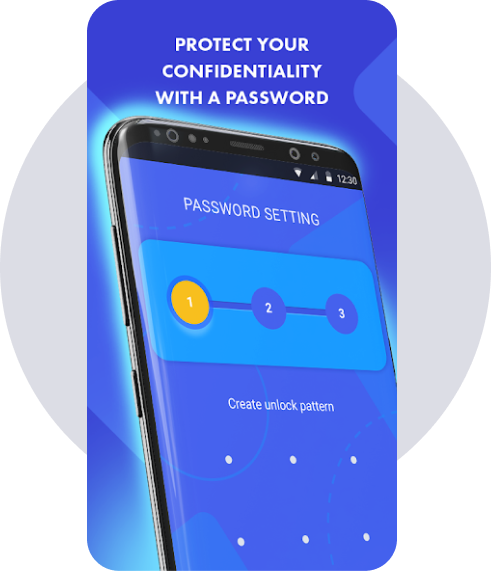
Helps you protect your privacy in various apps of your choice.
Social networks, contacts, messages, calls, settings - select any app you want to protect, choose one of two types of blocking and make sure that your personal data will never be exposed to your friends, family members or intruders.
With this mobile app you and your apps are safe and sound anywhere anytime.
Reviews speak for themselves:
Finally an applock that works (August 25, 2022)
Easy to set up, no problems yet (August 1, 2022)
I'd highly recommend it. This is the second applock I tried and I never looked further! (September 21, 2022)
Works like a charm. It doesn't stop by itself or suddenly glitch. Definitely 5 stars. (October 26, 2022)
The app has been running smoothly, I love it. Superb! (November 28, 2020)